WHAT IT IS
Unified Safety Platform
A wide range of EHS modules in one system, from permits and audits to assets, medical checkups and Kaizen. Start with what you need and add more as you grow.
LESS PAPERWORK. MORE SAFETY.
Plan the work. Control the risk.
Prove compliance.
Replace hectic paperwork with one platform for every safety workflow: permits, HIRA, MOC, PSSR, LOTO, audits, Kaizen and more.


Faster approvals
Photos, voice notes
One-click PDF, Excel
WHAT IT IS
A wide range of EHS modules in one system, from permits and audits to assets, medical checkups and Kaizen. Start with what you need and add more as you grow.
WHO IT’S FOR
For teams managing high-risk work across manufacturing, construction, EPC, FMCG and logistics.
WHY NOW
Digital evidence gives leaders operational visibility and supports audit preparation.
Move permits forward with clear approvals.
Bring more frontline observations into view.
Keep corrective work moving with reminders.
Use organized exports instead of searching spreadsheets.
CONNECTED SOLUTIONS
Coordinate approvals, risks and controls in an auditable process.
Report issues, assign responsibility and retain closure evidence.
Keep asset checks, findings and corrective work together.
Track role-based training, inductions and attendance.
Ask questions of safety records and review useful insights.
OQSHA is easily configurable, so modules specific to your operation go live in a very short time.

ONE PLATFORM. NO LOOSE ENDS.
When work lives in disconnected tools, the full picture gets lost. Bring your people, processes and evidence together.
Sign-offs in a folder
Findings in spreadsheets
An issue in a group chat
Ownership in an inbox
Different tools.
Disconnected records.
FOLLOW THE WORK
Scroll from the first permit to the final audit record. See each step connect to the next.
Scroll to follow the workAssess hazards with HIRA, then carry the agreed controls and staged approvals into one digital permit workflow.
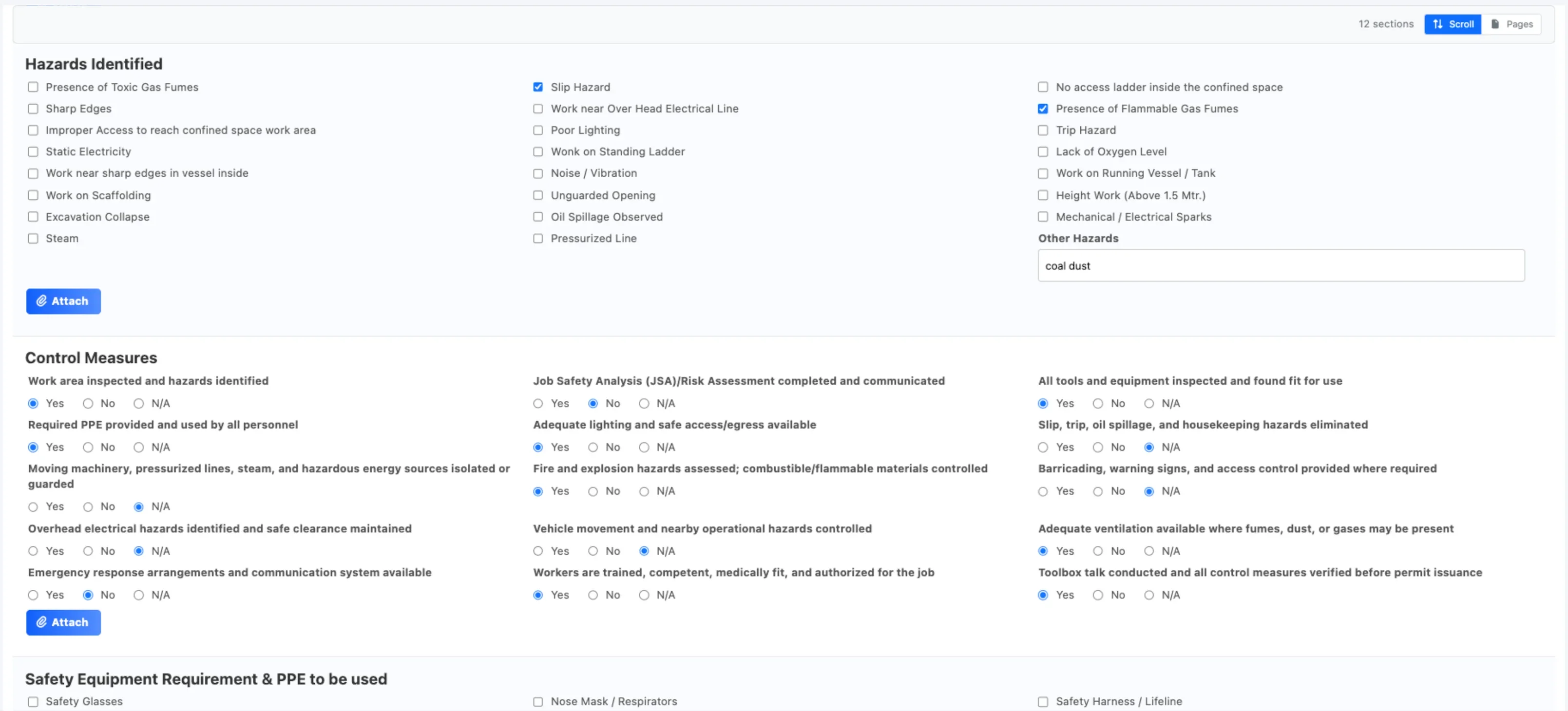
Connect inspections to assets, capture evidence and keep findings visible to the people who can resolve them.
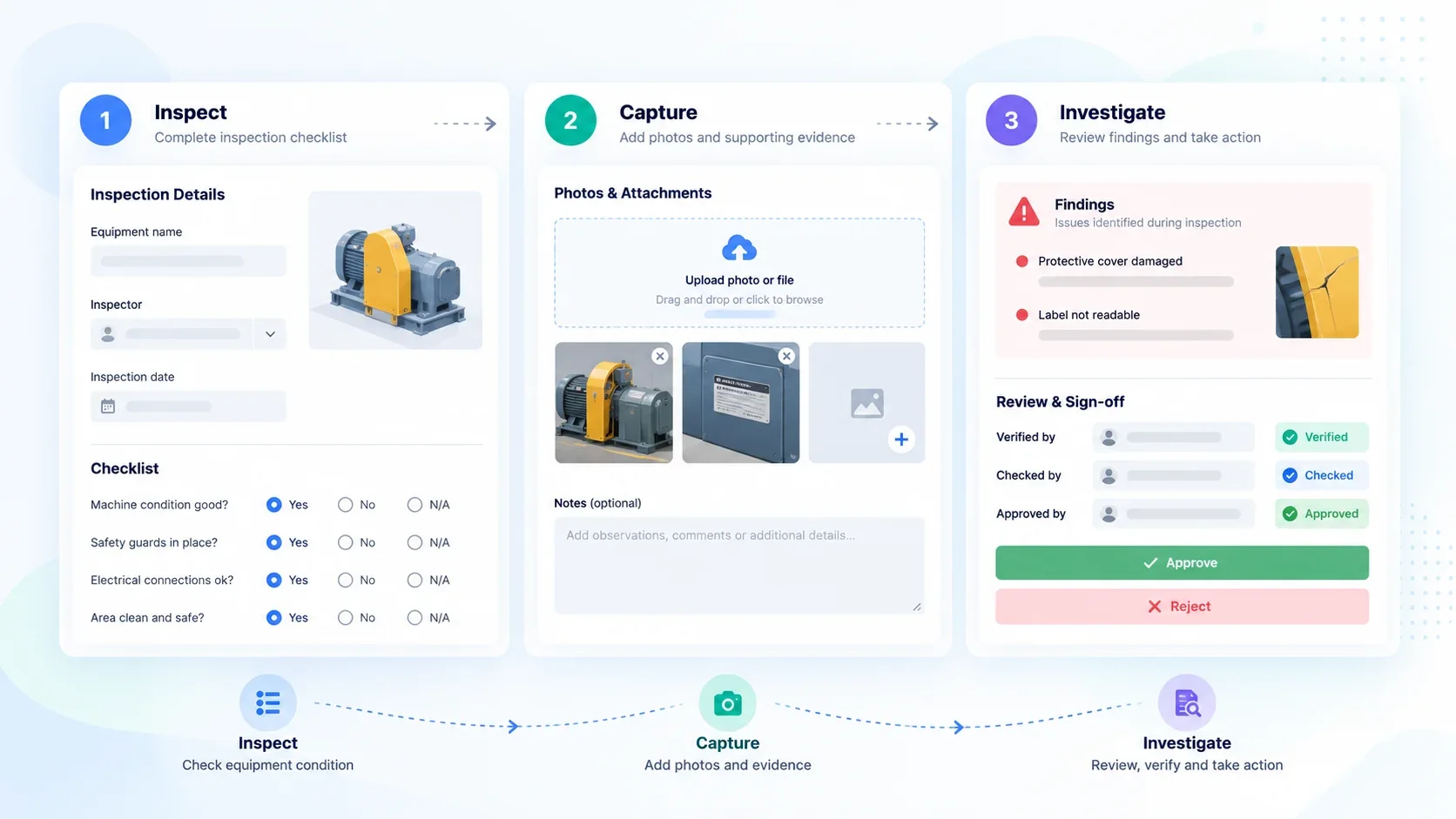
Bring field observations and incident reporting into a shared record, ready for investigation and follow-up.
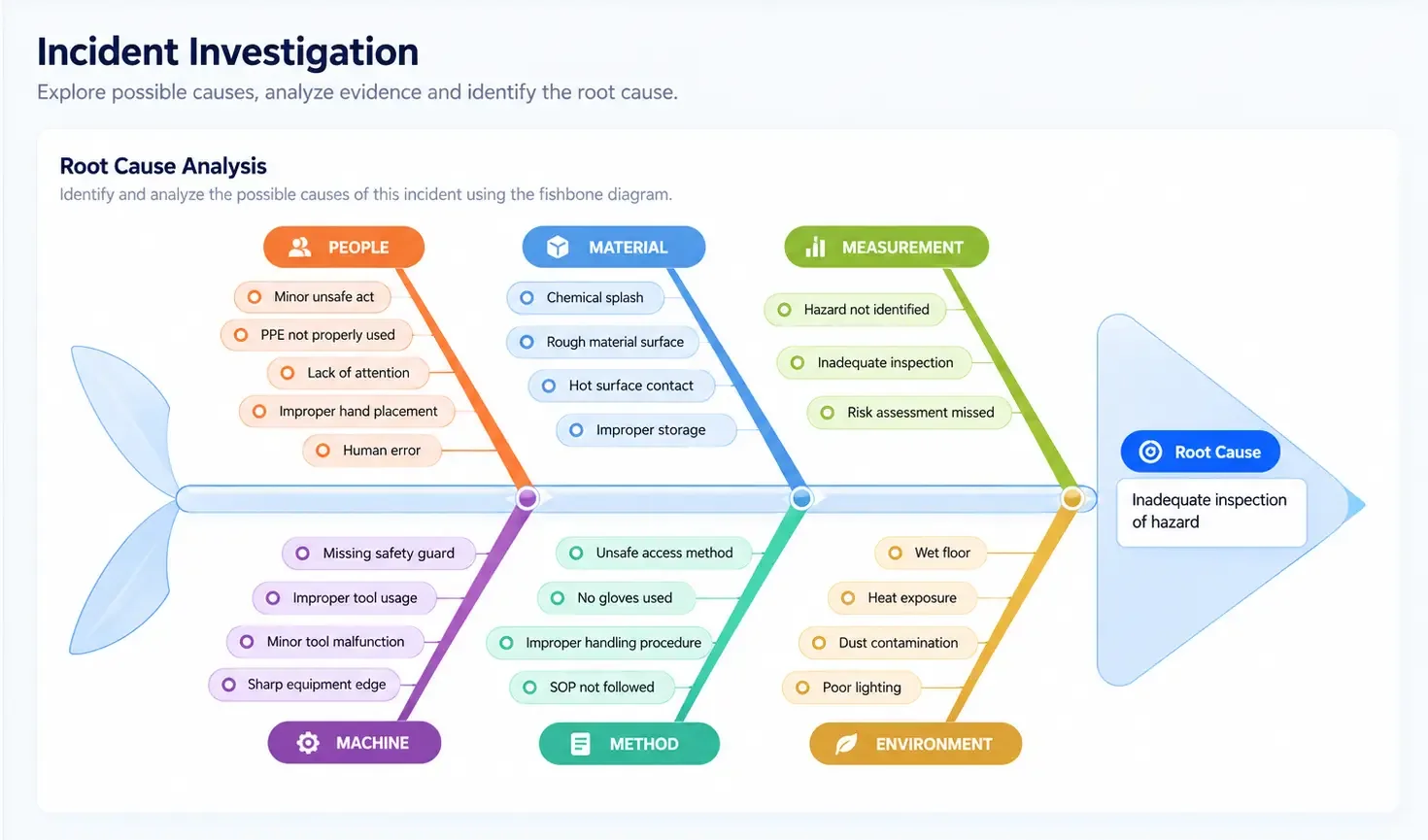
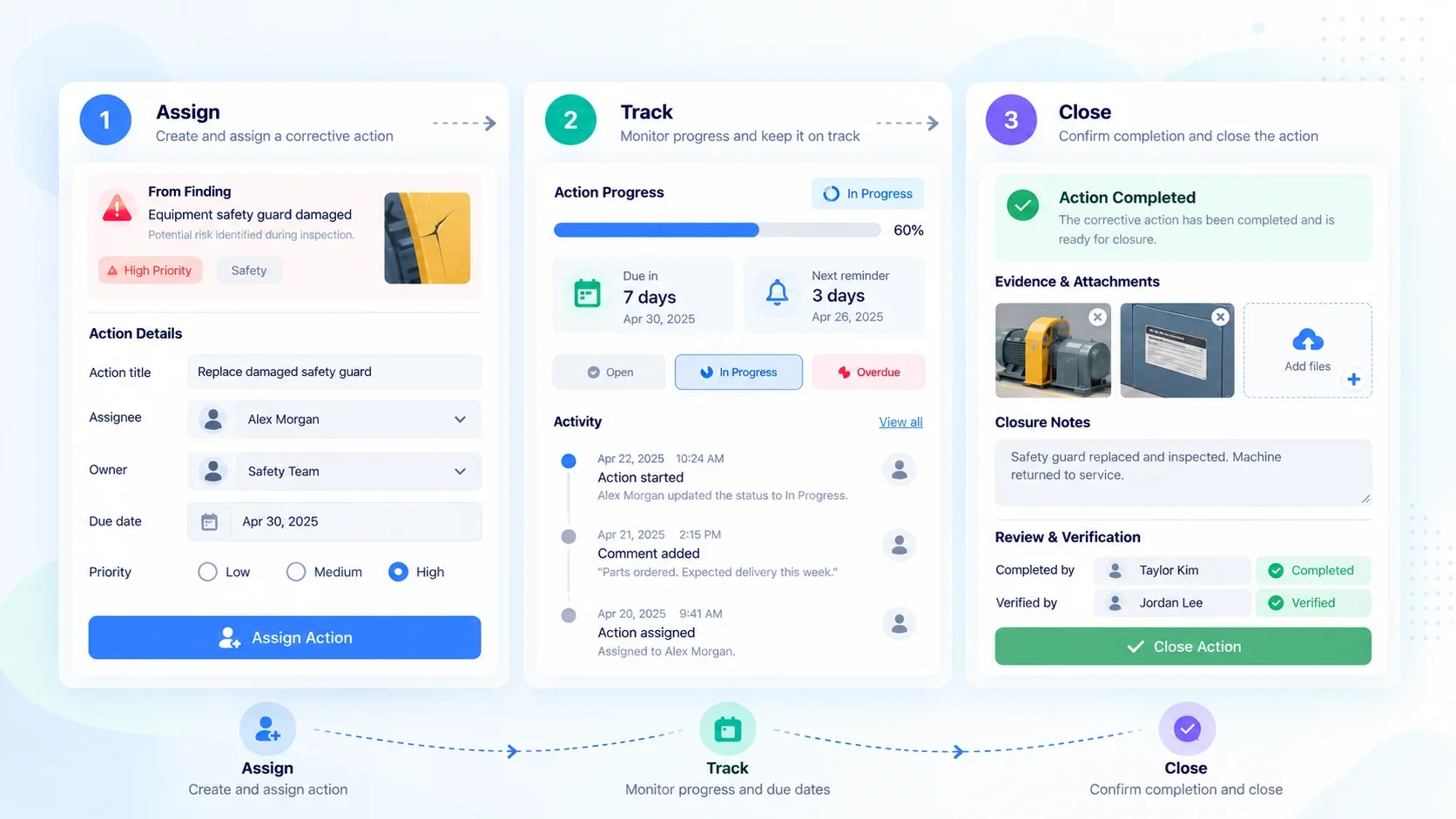
Link corrective actions to designated owners, due dates, and closure histories so no finding becomes a forgotten follow-up.
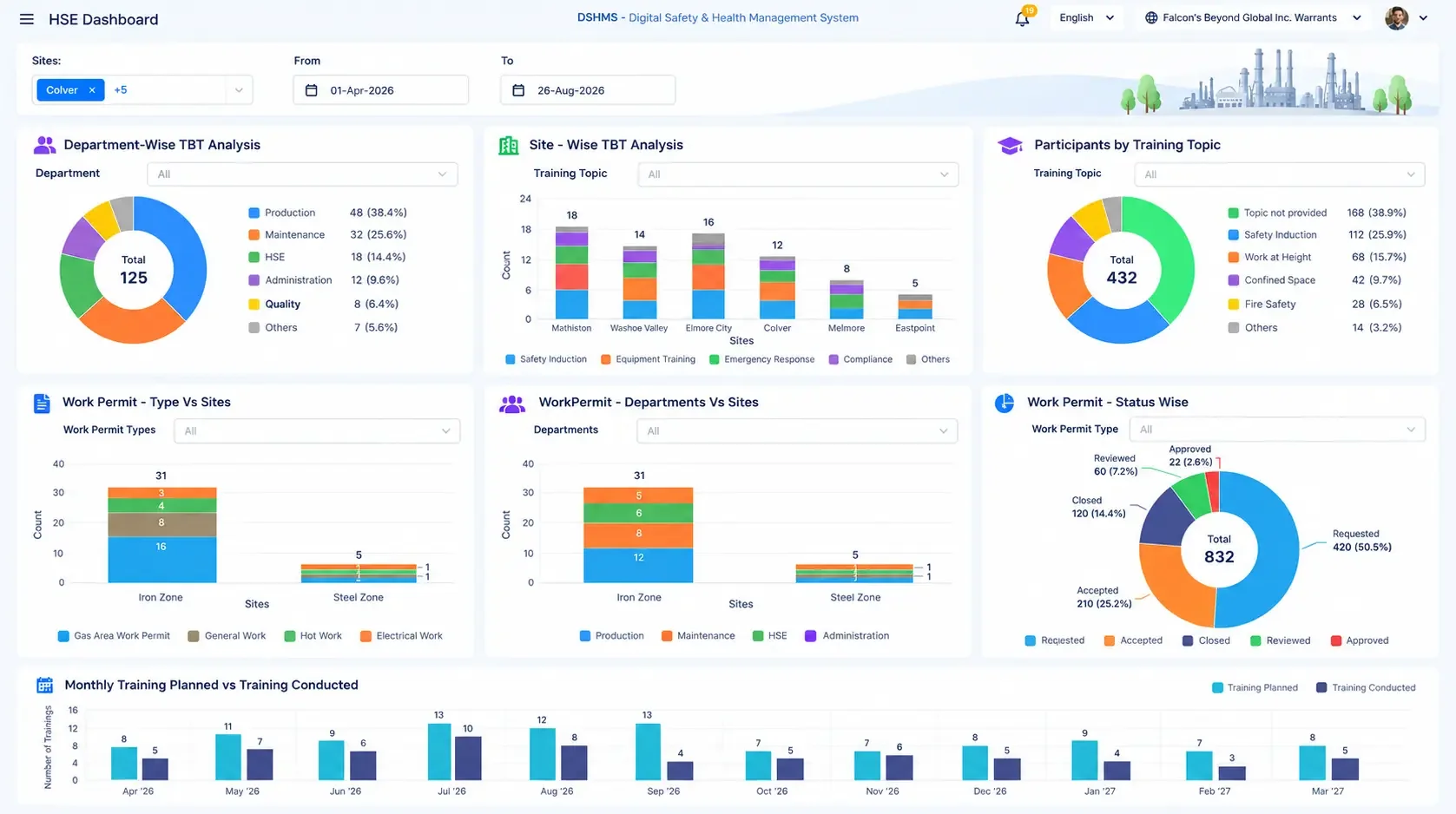
Bring inspection performance, training and safety indicators into your management view.
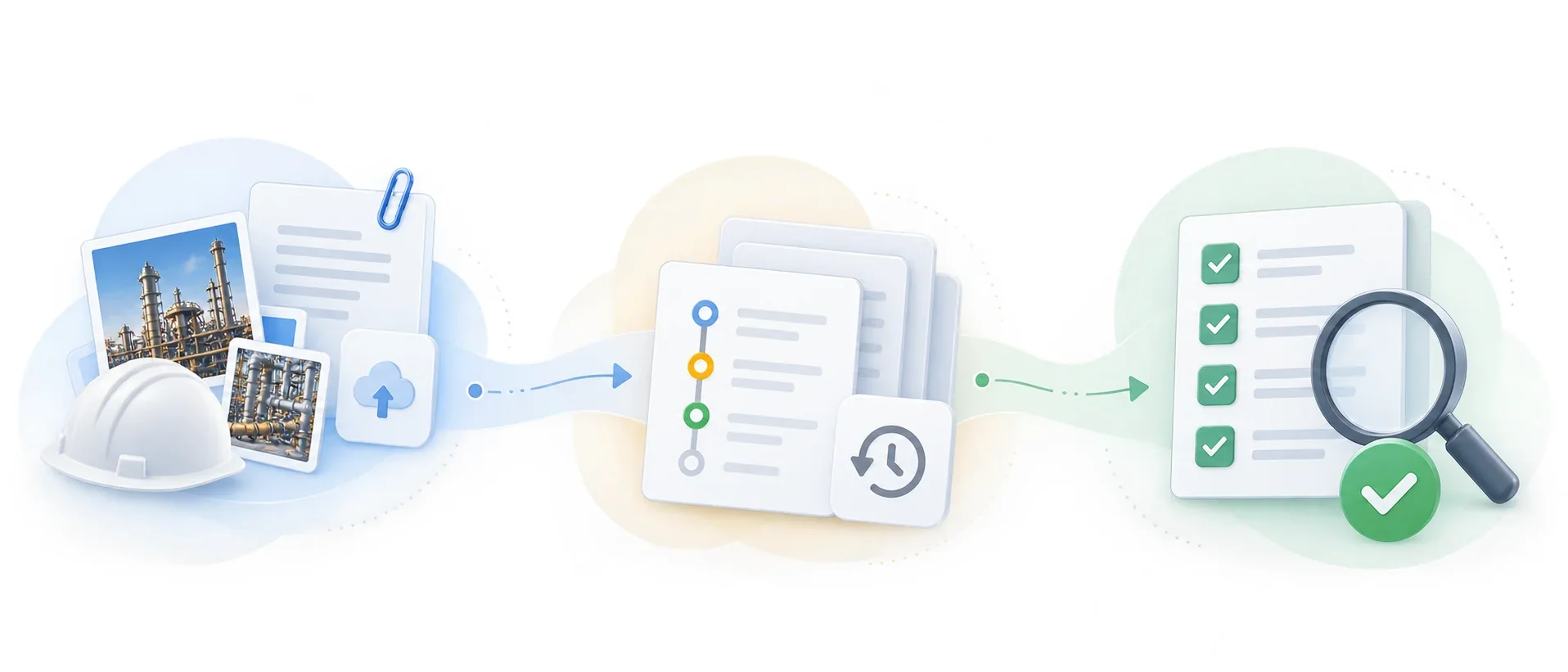
Run safety audits and keep approvals, supporting evidence and closure records ready for any auditor.
Request → Review → Approve
CONFIGURABLE BY DESIGN
Go-live is the start, not the finish line. Your team reconfigures permit, inspection and safety-alert templates and approval flows directly. We support your evolving processes so new modules launch in days, not quarters.
Redesign a permit, inspection checklist or safety-alert flow yourself — fields, steps and approval stages — without waiting on a vendor release cycle.
Need visitor management, attendance, training records or something specific to your site? Stand up a new module on the same platform in days.
Every template and module you configure inherits your roles and permissions automatically, so access control never lags behind the workflow.
Configuration changes are self-serve, with OQSHA support alongside — not a ticket that sits behind someone else’s roadmap.
GO BEYOND THE CORE
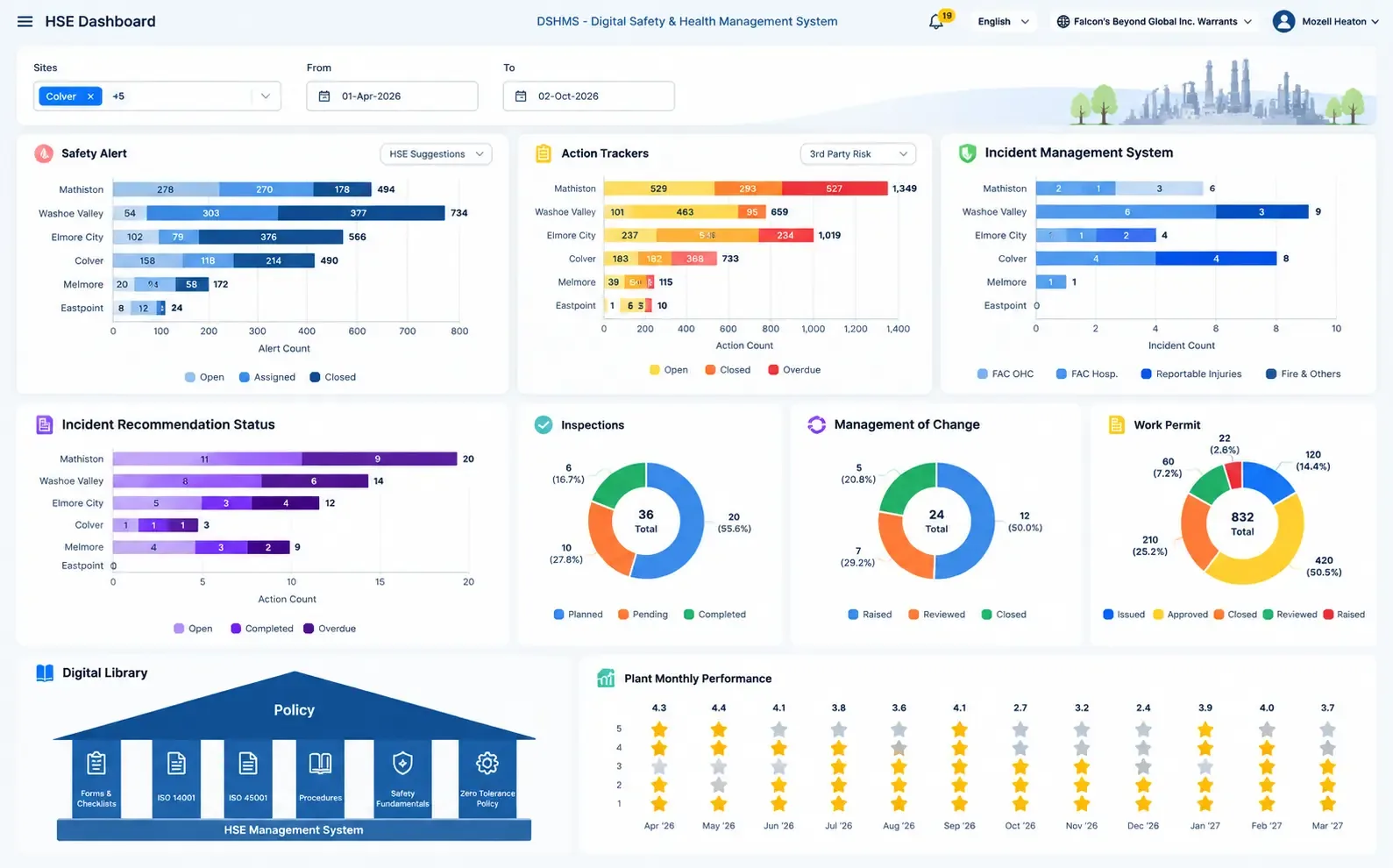
THE OQSHA COMMAND CENTER
Give leadership the visibility to connect day-to-day activity with the bigger safety picture.
MEET YOUR SAFETY AGENT
Enterprise AI that respects your guardrails.
Ask OQO turns safety data into answers, summaries and reports. In plain language, with people in control.

A natural conversation with your safety data.
SAFETY GOES WHERE WORK GOES
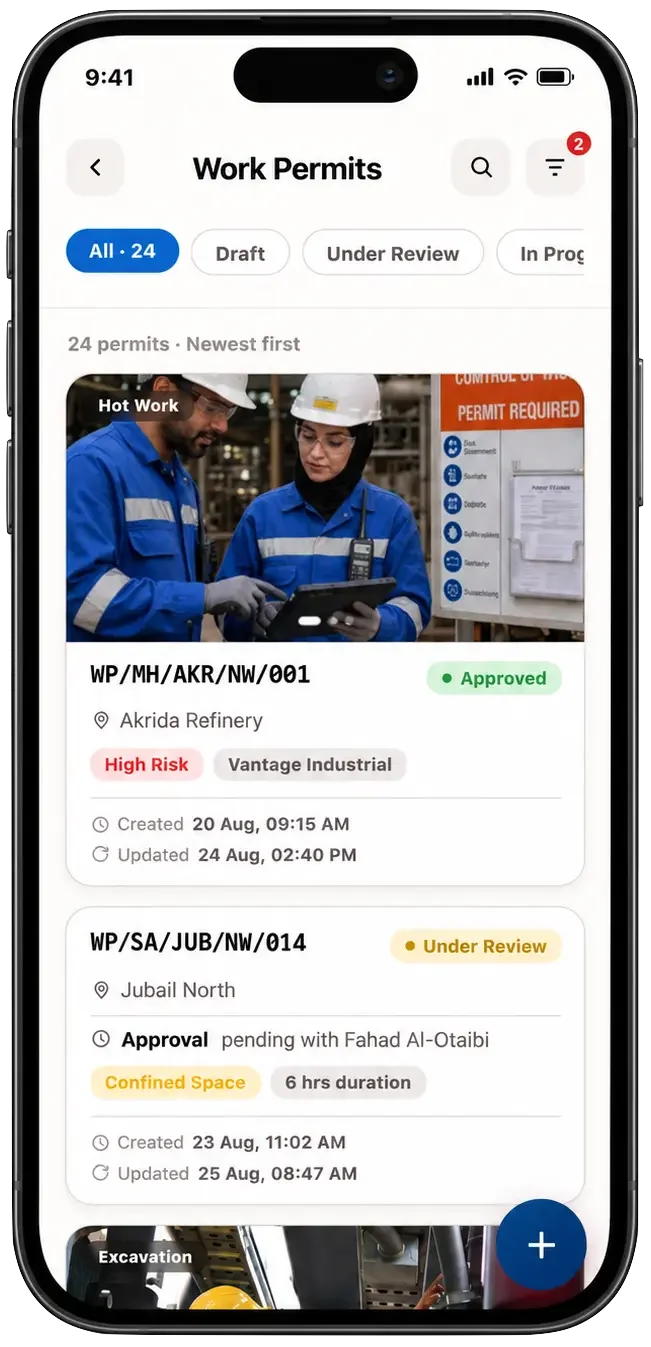
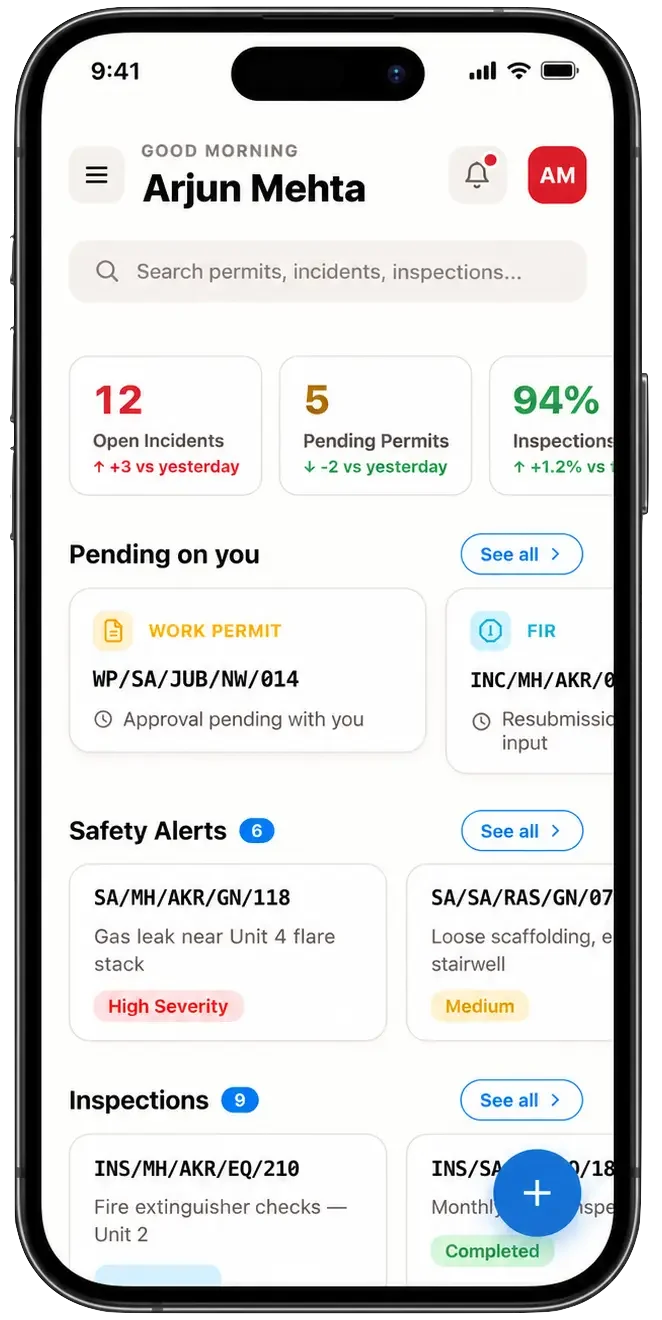
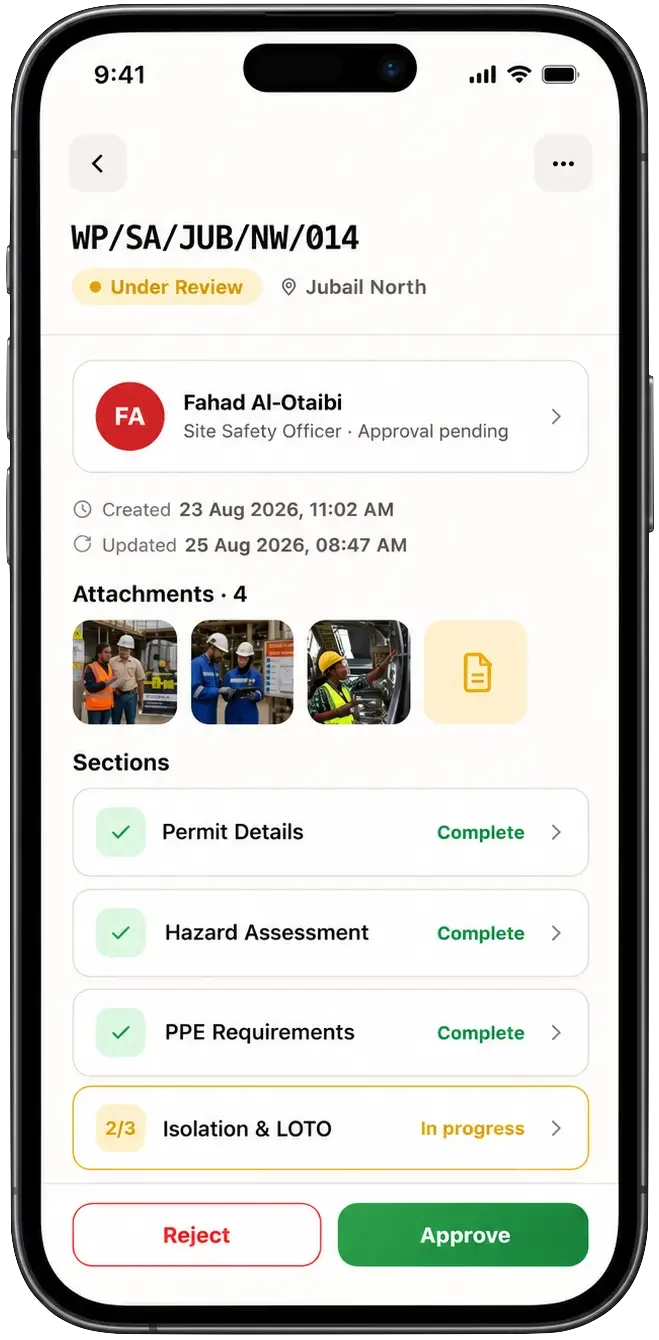
Put reporting, evidence and permit workflows in the hands of your frontline teams.
Mobile photos, voice notes and QR-based checks.
OQSHA supports offline capture with automated cloud sync once connected. Feature availability depends on specific workflow and site requirements; real-time approvals and alerts require active network connectivity.
BUILT AROUND YOUR OPERATING REALITY
Start with the risks and workflows that matter to your teams.
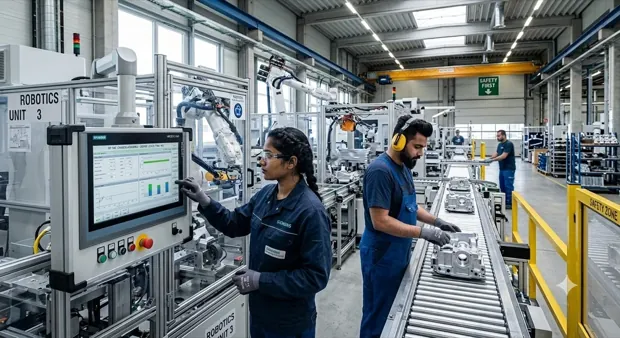 01 / PLANTS & PRODUCTION
Coordinate maintenance, inspections and contractor work around an active production environment.
Explore contractor risk control with Comer Industries.
Explore your workflow 02 / PROJECTS & PEOPLE
Keep staged approvals and field reporting visible as work moves across a project.
See the MyHome permit approval story below.
Explore your workflow 03 / HIGH-RISK OPERATIONS
Bring high-risk work controls, inspections and evidence into a shared view.
Explore the supplied HSE dashboard in the command center.
Explore your workflow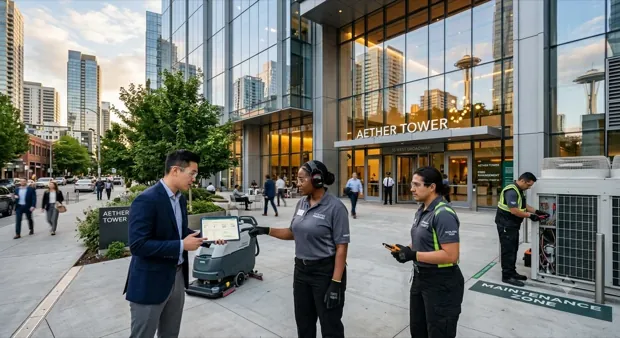 04 / BUILDINGS & ASSETS
Connect incident reports with the follow-up actions that keep facilities running.
Discover action visibility with Waymade.
Explore your workflow 05 / REFINERIES & PIPELINES
Link risk assessments, hot work permits and isolations so hazardous jobs never start based on unverified assumptions.
See how HIRA controls carry into every permit.
Explore your workflow 06 / PITS & PROCESSING
Keep pre-start checks, shift risk assessments and PPE compliance current as crews and conditions change.
See pre-start checks and PPE tracking on one record.
Explore your workflow 07 / SOLAR, WIND & STORAGE
Control work at height, electrical isolation and site access across remote solar, wind and storage sites.
See visitor and contractor access on one record.
Explore your workflowOQSHA is configured to your SOPs, not a fixed template. Tell us how your sites run and we’ll map the workflows with you.
Supporting safety teams at
















REAL TEAMS. REAL OPERATING CONDITIONS.
Six perspectives from the people using OQSHA.
Digital permits shortened approvals to around 30–40 minutes, with mobile reporting helping safety teams respond sooner.
DBVSN Bhaskara RajuSummary of published customer feedbackRead the customer feedbackENTERPRISE CONFIDENCE, BUILT IN
Give EHS and IT a common foundation for access, evidence and oversight.
Permissions by role, site and module. SSO support for enterprise access.
Audit logs and closure history make changes and follow-up visible.
Encryption in transit and at rest. Discuss hosting requirements with the team.
API-first connections and deployment options for your existing systems.
SAFER OPERATIONS START WITH A CONVERSATION
Your workflows. Your sites. A tailored OQSHA walkthrough.

COMMON QUESTIONS
Most teams ask these questions before rolling out OQSHA.
Typically 2–6 weeks, depending on the number of sites, the modules you enable (Permit to Work, Inspections, Safety Alerts, HIRA, Visitor Management), and how much historical data you're bringing over. Most customers start with a pilot site, then roll out site by site.
Nothing special. Field teams use the OQSHA mobile app on Android or iOS phones and tablets; admins and managers use the web portal in any modern browser.
Yes. OQSHA is built for sites where connectivity is patchy: basements, towers under construction, plant floors. Field users can raise permits, safety alerts and inspections with no signal, including photos and attachments. Everything syncs automatically once the device reconnects.
Data is encrypted in transit and at rest, hosted on AWS in your chosen region. For organizations that need full control, OQSHA can also be deployed on-premise within your own infrastructure.
No. OQO runs as a captive AI. It works on your safety data within the OQSHA environment and never sends it to a public model or the open internet.
Yes. We support Single Sign-On and integration with common HRIS, ERP, and directory systems. Custom integrations are scoped with our implementation team during onboarding.
Yes. Historical permits, inspections, and incident records can be imported during onboarding, usually alongside the pilot, so your analytics and audit history are complete from day one.
Yes. Each organization runs in its own isolated tenant. Your templates, records, users, and dashboards are never visible to or shared with any other customer.
Built-in dashboards across permits, incidents, and inspections, filterable by site, zone, and time period. They're scoped automatically to what each user is allowed to see.
A named implementation contact through rollout, then standard support with response-time SLAs based on your plan. App updates are delivered over the air, so field users always have the latest version without reinstalling.